


A well-written manufacturing SOP helps ensure a process is performed consistently, safely, and to required quality standards. But creating an effective SOP involves more than documenting a series of steps. This guide describes how to create a manufacturing SOP step by step, what information it should include, and what common mistakes to avoid. It explains the process with a practical manufacturing SOP example and guidance on maintaining and updating SOPs. Learn how digital SOPs can make it easier for manufacturers to provide operators with the right instructions at the point of work.
Navigate to section

- 1. What are Manufacturing SOPs?
- 2. What Should a Manufacturing SOP Include?
- 3. How to Create a Manufacturing SOP?
- 4. Manufacturing SOP Example: Machine Changeover SOP
- 5. Manufacturing SOP Template
- 6. Common Manufacturing SOP Mistakes
- 7. How to Maintain and Update Manufacturing SOPs
- 8. Manufacturing SOPs vs Work Instructions
- 9. What are the Key Benefits of Manufacturing SOPs?
- 10. Why are Manufacturers Moving from Paper SOPs to Digital SOPs?
A manufacturing SOP gives operators a clear, consistent way to perform a specific task or process. But creating a substantial and useful SOP involves more than writing down a list of steps.
The procedure needs to reflect how the work actually happens on the shop floor. That means talking to the people who perform the task, observing the process, documenting the important details, adding safety and quality checks, and testing the instructions before they are put into use.
As the current industrial landscape is undoubtedly challenging, as in any business, regardless of its nature, aspects such as accuracy, consistency, and efficiency are considered non-negotiable. The manufacturing SOP is built around these three core principles to handle the manufacturing complexity with efficiency. A good SOP should also be easy to find, easy to follow, and easy to update when the process changes.
Manufacturing SOP Overview
SOPs include several sections, the most applicable of which are manufacturing work instructions, a series of steps that serve as a guide for the execution of complex or recurring tasks, ensuring and improving the safe, agile, and correct execution of processes.
In this guide, we will walk you through how to create a manufacturing SOP step by step, what a good SOP should include examples of manufacturing SOPs, and how digital SOPs can make it easier to keep the instructions current and accessible on the shop floor.
What are Manufacturing SOPs?
A manufacturing SOP also termed as operational method sheets (OMS) is a hierarchical organization where:
- A procedure defines the general framework for the execution of a key process and typically includes instructions and records.
- Work instructions, for their part, provide step-by-step execution of the task.
- Finally, their execution entails keeping records, which are like documentary evidence of the correct execution of the instructions.
- What the procedure covers
- Who is responsible for performing it
- What tools, materials, and equipment are needed
- What steps need to be followed
- What safety precautions apply
- What quality checks need to be completed
- What to do when something does not go as expected
- How the procedure is reviewed and updated
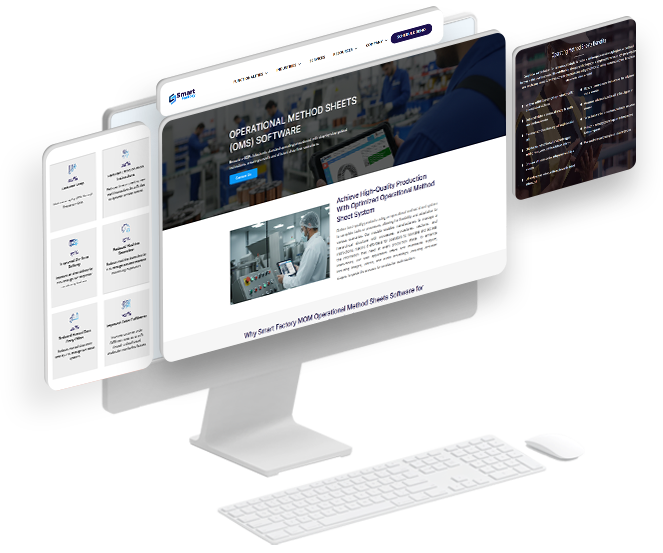
Nearly 70% of Manufacturing units are shifting towards eSOPs,
Don’t Stay Behind!
What Should a Manufacturing SOP Include?
Though every manufacturing SOP is different depending on the requirement of the task. There is not one universal format that works for every manufacturing process. A machine setup SOP will look different from a quality inspection SOP or a sanitation procedure.
Still, most effective manufacturing SOPs cover the same basic information:
| Detail | Purpose |
|---|---|
Title and Document ID |
Makes the SOP easy to identify and control |
Purpose |
Explains why the procedure exists and what it is meant to achieve |
Scope |
Defines the process, equipment, product, area, or role the SOP applies to |
Responsibilities |
Identifies who performs the task and who owns or approves the procedure |
Tools, Materials, and Equipment |
Lists what is needed before the work begins |
Safety Requirements |
Highlights PPE, machine safety, hazards, and other precautions that apply |
Step-by-Step Instructions |
Explains how the task should actually be performed |
Quality Checks |
Defines what needs to be checked and what acceptable results look like |
Troubleshooting or Deviations |
Explains what to do when the process does not go as planned |
Records and Sign-Offs |
Captures the information needed to confirm that the procedure was completed correctly |
Revision History |
Shows what changed, when it changed, and which version is currently approved |
The level of detail should depend on the process. A simple, familiar task may only need a few clear steps. A safety-critical or highly variable operation may need much more detail, including photos, measurements, tolerances, or decision points.

Access our comprehensive guide to creating and implementing effective Operational Method Sheets, designed to standardize workflows, reduce errors, and enhance quality control.
How to Create a Manufacturing SOP?
Considering the importance of manufacturing SOP within the manufacturing execution, it is more critical to define a standard way to create effective work instructions. Our manufacturing domain experts, with their vast understanding of the production floor execution, have created standard steps to create effective manufacturing SOPs. However, we understand that this involves basic actions such as the following:
- Collaboration
- Observation
- Iteration
These steps adhere to ISO and global manufacturing standards. The following are the steps to create a manufacturing SOP:
1. Identify the Process & Define Its Scope
The basic step is the identification of the process or task to be documented. This typically covers everything from pre-process steps (such as machine setup) to outputs (such as product assembly or quality inspection). Start by analyzing the overall process.
Tips and tricks: Try to limit where the process itself begins and ends and what may or may not be considered part of it.
2. Involve Subject Matter Experts (SMEs)
The regular performer of the task typically has the same knowledge, so work closely in a multidisciplinary collaboration involving the personnel involved in the task (such as operators, engineers, and supervisors). Leveraging your team's knowledge base will ensure you consider hidden conditions and needs, ensuring that instructions reflect real-world needs and practices.
Tips and tricks: Include at least one experienced participant from each profile; this will give your process functional and executional validity.
A Practical Tip
Don't write the SOP entirely from an office or engineering document.
The person performing the job every day will often know the small details that never make it into the official process: a setup condition that needs to be checked first, a tool that makes the job easier, or a point where operators commonly make mistakes.
Those details are exactly what can make an SOP useful instead of just
3. Observe, Analyze, and Document the Process (OAD)
Observe more than one event of the same process, make notes of relevant points, and take evidence such as photos or videos, seeking to capture each step as best as possible. Pay special attention to:
- Sequence of steps
- Type of operation
- Use of tools and materials
- Safety conditions and controls
- Quality controls
- Differences between performers in results (time, number of OK and non-OK products, etc.)
Tips and tricks: Always report your observation activity to supervisors; however, even if you allow the operation to be performed without interruptions or changes, it is common for the execution to be different from what is normally observed.
4. Document the Process Step-by-Step
Start creating the structured instructions following the standard guidelines. Maintain proper process documentation and keep the content as logical as possible. A typical structure recommended in ISO 9000 includes the following (but is not limited to):
- Change control (reviewer, approval, release, and version control).
- General title and document ID
- Purpose, scope, and objectives
- Necessary tools and materials
- Applicable operational and safety regulations
- Detailed procedures using a process-instruction-step-by-step structure
- Quality controls
- Problem resolution
Tips and tricks: Use and follow pre-defined international or national standards that will support correct structuring of documents. Check out the template below for reference; it follows ISO 9000 recommendations.
5. Use Visual Aids
A picture says more than a thousand words, so whenever possible, add multimedia files as practical support resources, considering 2D and 3D images, diagrams, and even short audio or video clips to assist your operators in execution. Their use achieves, among other things:
- Reduction in errors,
- Significant improvement in comprehension,
- Reduction in execution times,
- Reduction of language barriers,
- Reduction of the learning curve,
Tips and tricks: Select the type of element depending on the need to be addressed; for simple tasks, an image is more useful, and for complex tasks, interactive or more visual elements such as videos or 3D images may be more useful.
6. Review and Validate in Dry Runs
Before releasing a procedure, conduct pilot runs and verifications to gather final feedback and adjust (if necessary) the procedure to ensure its clarity and usability.
Tips and tricks: Look for examples of environments that, even if controlled, have most of the conditions that might occur.
7. Review, Approve, and Release the SOP
After completing the documentation, you should conduct a multidisciplinary review (highly recommended) to obtain approval for the document. Define and execute a proper approval process. Only once the document has passed this approval can it be shared and released for productive use.
Tips and tricks: Once approved, place it in a centralized location, ideally using manufacturing work instruction software (such as Smart Factory MOM SOPs) to facilitate open access and allow for use while maintaining version control of the document.
8. Training and Monitoring
Display the instructions during training sessions, if possible. Also, monitor their use and conduct a comparative analysis of their effectiveness in the workshop versus the previous outcome.
Tips and tricks: Keeping clear monitoring results before and after release of procedures or updating them is important because it allows you to analyze results and make improvements or understand future or current needs.
Manufacturing SOP Example: Machine Changeover SOP
A machine changeover is a good example of a process that benefits from a clear SOP. The exact steps will vary by machine and product, but a simplified SOP could look like this:
SOP: Machine Changeover Procedure
Purpose:
To standardize the machine changeover process and ensure the next production run starts safely and correctly.
Before starting:
- Confirm the next production order
- Verify that the required tooling and materials are available
- Check that the machine is stopped and safe to work on
- Review the required setup parameters
Procedure:
- Stop the current production run
- Remove the previous tooling or setup components
- Clean and inspect the relevant machine area
- Install the tooling required for the next job
- Enter or verify the required machine settings
- Run the first piece
- Complete the required quality checks
- Release the machine for production once the setup meets the required specification
If something is not right:
Do not simply continue production and correct it later. Stop, identify the issue, and follow the appropriate escalation or troubleshooting procedure.
This is a simplified example, but it shows an important point: a useful SOP should tell the operator not only what to do, but also what to check and what to do when the expected result isn't achieved.
Manufacturing SOP Template
A good SOP template gives everyone in the organization a consistent starting point. It also makes it harder to leave out important information such as safety requirements, quality checks, or revision details.
Here are a few real-world manufacturing work instruction examples across different industries:
Plastics Manufacturing
Standard Manufacturing SOP Template:
You can use the following structure as a starting point:
1. Manufacturing SOP Basic Details:
- SOP Title:
- SOP ID:
- Department / Work Center:
- Process Owner:
- Effective Date:
- Revision:
- Review Date:
2. Purpose
What is this procedure intended to be achieved?
3. Scope
Where, when, and to whom does this procedure apply?
4. Responsibilities
Who performs the task? Who reviews or approves it?
5. Required Materials, Tools & Equipment
What does the operator need before starting?
6. Safety Requirements
What hazards, PPE, or safety precautions need to be considered?
7. Procedure
List the steps in the order they should be performed.
8. Quality Checks
What needs to be checked? What is the acceptable result?
9. Troubleshooting / Deviations
What should the operator do when something goes wrong?
10. Records
What needs to be recorded after the task is completed?
11. Revision History
What changed, when, and why?
Tip: Don't treat the template as the finished SOP. The real value comes from filling it with instructions that reflect what actually happens during the job.
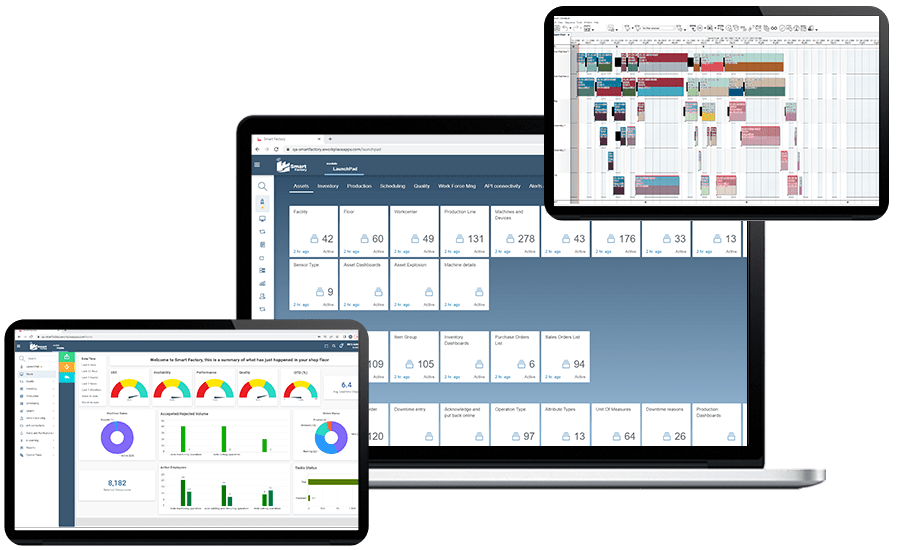
While manufacturing units deal with tons of challenges, Smart Factory MOM simplifies the production operations, from execution to product delivery effectively. Remove the hassle of juggling between paper-based documents with Smart Factory MOM
Curious to know HOW?
Common Manufacturing SOP Mistakes
Even a well-structured SOP can fail if it doesn't match the way work is actually done. Here are some common problems to watch for:
Writing the SOP without involving operators
An engineer or process owner may understand the intended process, but operators often know the practical details that make the process work in real conditions.
Making the SOP too complicated
An SOP should contain the information the operator needs to perform the task correctly. Adding unnecessary details can make important instructions harder to find.
Describing the ideal process instead of the actual process
If the documented procedure doesn't match what happens on the floor, people will eventually stop relying on it.
Leaving out quality checkpoints
The procedure shouldn't only explain what to do. It should also explain what to check before moving to the next step.
Forgetting what happens when something goes wrong
Operators need to know when to stop, who to contact, and what to do with a product or process that doesn't meet requirements.
Allowing old versions to remain in use
An updated SOP doesn't help if yesterday's version is still sitting beside the machine.
Treating the SOP as a one-time document
A useful SOP needs an owner and a way to stay updated as per the changes in the processes, equipment or product.
How to Maintain and Update Manufacturing SOPs
Creating an SOP is only the first part of the job. A procedure can be perfectly written when it is released and still becomes inaccurate six months later if the process, machine, tooling, material, or quality requirements change.
A simple review process can help keep SOPs useful:
- Review the SOP when the underlying process changes.
- Update when equipment, tooling, materials, or parameters change.
- Review it after a recurring quality or safety issue.
- Capture useful feedback from operators who use the procedure.
- Keep a clear revision history so everyone knows which version is current.
- Make sure affected employees are trained when an important procedure changes.
- Remove or clearly mark obsolete versions, so they are not accidentally used.
The key is not to update an SOP just because a calendar reminder says it's time. Update it when the work changes or when experience shows that the procedure needs to change.
Manufacturing SOPs vs Work Instructions
Often manufacturers get confused between these terms: manufacturing SOP, procedure, and work instructions. These terms are often used interchangeably, but they do not always mean the same thing.
- An SOP generally defines the standardized process, its purpose, responsibilities, controls, and requirements.
- A procedure usually describes the overall process and its requirements. It defines the general framework for the execution of a key process and typically includes instructions and records.
- Work instruction goes deeper into the actual task and explains how the work should be performed step by step.
For Example:
Machine Changeover Procedure
A procedure might define the requirements for a machine changeover.
SOP: Machine Changeover Procedure
Defines when a changeover is required, who is responsible, the safety requirements, quality checks, and the overall process.
Work Instruction: Change Tooling on Machine 03
Shows the operator exactly how to remove the existing tooling, install the new tooling, set the machine parameters, and verify the first piece.
In practice, they all can work together. The SOP establishes the standard, while the work instruction provides the detail needed to execute a particular task correctly.
What are the Key Benefits of Manufacturing SOPs?
SOPs are highly influential and essential in multiple areas for business process optimization. Among the main objectives of SOPs in manufacturing, we can find:
- Standardization: Increases adherence to consistent operations, allowing operators to perform tasks in the same way, reducing errors and inconsistencies.
- Compliance: Ensures compliance with regulatory requirements, such as Good Manufacturing Practices (GMP) and local and even international standards and regulations (p. ej., GMP, ISO).
- Training: Can be useful as a reference for employee onboarding during training or initiation, reducing learning curves.
- Efficiency: Overall optimization of operations by eliminating unnecessary assumptions and actions.
- Quality Control: Increases control, compliance, and monitoring of process and, consequently, product quality through the application of best practices.
Why are Manufacturers Moving from Paper SOPs to Digital SOPs?

A paper SOP isn't automatically a bad SOP; for a simple, stable process, a printed instruction may be all an operator needs. The problem starts when processes change frequently; multiple versions are circulating, or operators need information that goes beyond a printed page.
That's where digital SOPs become useful.
A digital SOP can make the latest approved instruction available at the point of work, connect instructions with production activities, include photos or videos, and make it easier to track revisions and execution.
The difference isn't really paper vs. digital.
It's whether the operator can reliably access the right instruction, at the right time, in the right version. Below, we show a comparison between digital SOPs for manufacturing and traditional paper-based methods:
| Focus area | Digital SOP / in MES | Physical SOP (Paper) |
|---|---|---|
Accessibility |
Remote, Immediate, anytime access and availability from any authorized device. |
Requires stay, move or locate at the place where the file is, meaning there is a physical presence limitation. |
Updateability |
Fast update and release with Real-time changes with version control included. |
Requires multiple actions such as recover previous file, manual reprinting and redistribution and possitioning with high risk of lost version control. |
Traceability |
Automatic traceability and tracking, from logging of who accessed it, and continuous follow up of the execution including full traceability like when, and which version they used. |
Difficult to track; prone to human error and requieres second action to transfer data from record to traceability system. |
Process Integration |
Simple and predefined links to work orders, quality, maintenance, and more. |
Does not integrate with other systems, alwyas require a second activity of data transfer from physical record to traceability system. |
Multimedia |
Commonly allows inclusion of multimedia aids images, videos, and interactive diagrams. |
Limited to printed text and 2D images. |
Access Control |
Remote access with anytime and anyplace availability that Allows defining permissions by role or user. |
Anyone with physical access can view it, what difficult the access control. |
Notifications and Alerts |
If needed, it can send automatic notifications about pending changes or revisions. |
No automatic way to notify changes, all the changes must be notified in place and depends of the time and personnal available. |
Sustainability |
Reduces the use of paper and physical resources. |
Intensive paper and physical space usage, starti ng in his print and continuous maintenance. |
Audits and Compliance |
Facilitates data usage, analysis, audits since use digital records and full traceability on real time |
Commonly have data delays by the tranference to data plataforms manualy and requires manual searching, and documents may be lost. |
Global Standardization |
Support dynamic distribution and ensure all sites, processes, and shifts are working with the same version of the SOP. |
Risk of outdated versions en the same site and in different locations. |
Key Takeaways:
The manufacturing industry is evolving, and to keep up the pace with the advancements, a structured system is essential. Digital SOPs in manufacturing let the operators as well as new trainees on the production floor understand the stepwise approach for specific operations. Creating a manufacturing SOP isn’t just about documenting a process. It’s about making sure the process can be understood and followed consistently by the people performing the work.
A good manufacturing SOP should:
- Clearly define the process and its scope.
- Reflect how the work actually happens on the shop floor.
- Include the tools, materials, safety requirements, and quality checks operators need.
- Be tested before it is released.
- Have clear ownership and revision control.
- Be easy for operators to access when they need it.
- Be updated when the process changes.
Digitize your operation with eSOPs and enter Industry 4.0 with Smart Factory MOM.
Are paper instructions difficult to maintain and standard operating procedures becoming more obsolete every day? Discover how, using Smart Factory MOM SOP and MES modules, you can create, manage, and refine your work instructions, while enhancing them with multimedia visual aids and distributing them throughout your plant or organization with a single click, harnessing the power of real-time information when used minute by minute.
Try Smart Factory MOM MES and SOP’s today!
Manufacturing SOP is a document that describes how to perform a specific task or process. It includes both information about the process and instructions and actions (often related to each other). Its use can improve operations by ensuring consistency, quality, and regulatory compliance in a standardized manner.
A Good Manufacturing Practices (GMP) SOP is a documented procedure that considers mandatory or non-mandatory regulatory standards for safety, quality, and efficacy to ensure that manufacturing processes comply both generally and specifically with the applicable standard. These documents typically include detailed steps, quality controls, and safety protocols.
In general, the key components of GMP include:
- Process consistency/standardization
- Equipment and tool validation
- Hygiene and sanitation
- Quality control
- Personnel training
- Documentation and record keeping (evidence)
The easiest difference to recognize is the level of application and its hierarchy, simply put:
- GMP: This is the general regulatory framework (local, international, or global) that defines the principles for ensuring product quality, safety, and integrity. In analogy, they are like a city map, showing the main roads, traffic rules, and speed limits.
- SOPs: These are specific documents derived from GMPs, detailing step-by-step how to execute tasks and actions in accordance with those standards. In this case, they are a GPS route selection, which will guide you step-by-step along a specific route within the road map defined by GMPs, helping you comply with the established limits.
All procedures can undergo changes and improvements, but in general is recommended that you must consider that a procedure must undergo continuous updates under 3 basic conditions: if the applicable regulations change, if the process is modified, if additional conditions exist (such as new equipment or process), or if a gap or problem is detected.
Digital SOPs make it easier to provide operators with the current approved version of an instruction, manage revisions, include visual guidance, and connect instructions with other manufacturing activities.